USB-C Docking Station Architecture: Protocols, Bandwidth & Power Delivery Explained
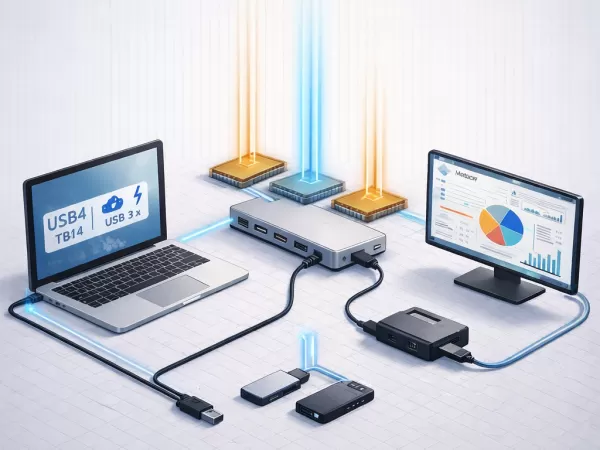
A USB-C docking station is not a passive port extender. It is an active interface system built around multiple controllers working in parallel:
USB bridge chipset – aggregates downstream data (USB, Ethernet, storage)
DisplayPort / Thunderbolt retimer & multiplexer – manages high-speed video lanes
Independent Power Delivery (PD) controller – negotiates voltage and current between dock and host
The real-world performance of a docking station—display resolution, data throughput, and charging stability—is determined by the host-side protocol negotiated over the USB-C port, not by the USB-C connector itself.
This is why two docks that look identical on the outside can behave very differently in practice.
USB-C Is a Connector, Not a Performance Standard
The same physical USB-C port may operate under different protocols:
USB 3.2 Gen 1
USB 3.2 Gen 2
USB4
Thunderbolt 3
Thunderbolt 4
Each protocol defines its own lane allocation rules, which directly impact:
Maximum display resolution and refresh rate
Available USB data bandwidth
Stability under simultaneous video + data load
Understanding these rules is essential when selecting a docking station for professional workflows.
Lane Allocation Fundamentals
A USB-C cable exposes four high-speed differential lanes. How these lanes are assigned depends entirely on the negotiated protocol.
| Host Protocol | Lane Allocation Model | Aggregate Throughput | Practical Impact |
|---|---|---|---|
| USB 3.2 Gen 1 | 2 lanes (USB data) | 5 Gbps | No native video without DP Alt Mode |
| USB 3.2 Gen 2 | 2 lanes (USB data) | 10 Gbps | Video requires sacrificing data lanes |
| DP Alt Mode (USB 3.x) | 2 lanes DP + 2 lanes USB | ~10 Gbps data + DP video | Shared bandwidth, common bottleneck |
| Thunderbolt 3 | 4 lanes dynamic | 40 Gbps | PCIe + DisplayPort tunneling |
| Thunderbolt 4 | 4 lanes dynamic (mandatory minimums) | 40 Gbps | Guaranteed dual 4K, PCIe bandwidth, DMA protection |
Why USB-C Docks Slow Down Under Load
In non-Thunderbolt USB-C docks, activating DisplayPort Alt Mode reallocates two lanes from USB data to video. This bandwidth trade-off is structural—not firmware-related.
Video traffic is prioritized at the physical layer, which explains why:
USB SSD speeds drop when high-resolution displays are active
Ethernet performance degrades during video playback
Audio and camera devices experience jitter under load
Thunderbolt 3 vs. Thunderbolt 4: What Actually Changed
Thunderbolt 4 does not increase raw bandwidth beyond 40 Gbps. Instead, it enforces stricter minimum requirements:
Guaranteed PCIe bandwidth for storage
Mandatory dual 4K or single 8K display support
Support for Thunderbolt hubs (not just daisy-chaining)
Enhanced DMA security
These guarantees eliminate the ambiguous configurations that existed in parts of the Thunderbolt 3 ecosystem.
For users running multiple displays and high-speed peripherals simultaneously, Thunderbolt 4 provides predictability, not just speed.
Power Delivery (PD) Architecture
Power delivery is handled by a dedicated PD controller, operating independently from USB data and video paths.
Bus-Powered vs. Passthrough Charging Docks
Bus-powered docks
Draw power from the host laptop
Limited to 7.5–15 W downstream
Unsuitable for high-load peripherals
Passthrough-powered docks
Accept external DC or USB-C power input
Negotiate upstream power delivery to the host
Required for stable performance with displays and storage
PD Negotiation Logic
PD 3.0: Up to 20 V × 5 A (100 W)
PD 3.1 (EPR): Up to 240 W using 28 V, 36 V, or 48 V profiles
Negotiation sequence:
Laptop (sink) advertises power requirements
Dock (source) validates capability
Power contract is established before data lanes fully initialize
Insufficient PD headroom often causes CPU or GPU throttling under load—frequently mistaken for thermal issues.
Video Signal Transmission: DP Alt Mode & MST
DisplayPort Alt Mode Constraints
DisplayPort Alt Mode tunnels native DP signals over USB-C lanes. Maximum resolution depends on:
GPU-supported DP version
Number of lanes allocated to video
Display Stream Compression (DSC) support
Many HDMI ports on USB-C docks are not native HDMI outputs. They rely on DP-to-HDMI conversion chips, which may introduce:
Additional latency
Compatibility limits beyond HDMI 2.0
Reduced reliability at high refresh rates
MST (Multi-Stream Transport)
MST allows multiple displays to share a single DisplayPort link by time-slicing bandwidth.
Supported on Windows and Linux
Supported over DP Alt Mode
Not supported by macOS for standard USB-C or Thunderbolt display paths
macOS requires separate display pipelines, which is why dual external displays on Apple systems typically require Thunderbolt docking stations with discrete display controllers.
Common Bandwidth Bottlenecks
Most real-world failures follow a predictable pattern:
High-resolution displays consume fixed lane bandwidth
Remaining USB lanes saturate under SSD or Ethernet load
Isochronous devices (audio, camera) experience dropouts
The solution is not higher-rated cables or firmware updates. The solution is selecting a docking station whose host protocol matches the workload profile.
Conclusion
A USB-C docking station is only as capable as the protocol negotiated with the host system. Lane allocation, Power Delivery negotiation, MST behavior, and Thunderbolt enforcement levels are architectural constraints—not marketing features.
At wfyear, we design docking stations around real-world protocol behavior to ensure stable displays, consistent data throughput, and reliable charging across Windows, macOS, and Linux platforms.
Choosing the right dock is an engineering decision—and understanding the architecture makes all the difference.