SSD Over-Provisioning (OP): The Key to Sustained Performance and Long-Term Endurance
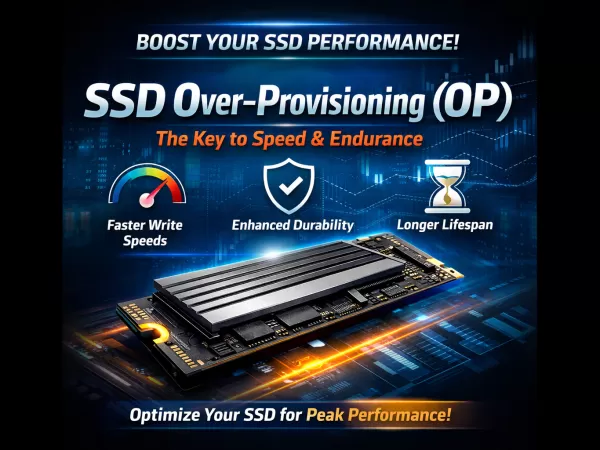
In modern storage systems, raw speed alone is no longer enough. For professionals and enterprises that demand stable performance, low latency, and long service life, SSD Over-Provisioning (OP) plays a decisive yet often underestimated role.
Although SSDs share the same physical interfaces as traditional HDDs—such as SATA, SAS, and NVMe—their internal data management is fundamentally different. This article explains how Over-Provisioning works, why it is essential, and how the right OP strategy can dramatically improve both performance and endurance.
1. What Is SSD Over-Provisioning (OP)?
Over-Provisioning refers to a portion of an SSD’s physical NAND flash capacity reserved exclusively for internal controller operations. This space is invisible to the operating system and cannot be accessed by users.
Manufacturers intentionally allocate this reserved area during firmware configuration to support background management tasks such as garbage collection, wear leveling, and error correction.
OP Percentage Formula
The Over-Provisioning ratio is typically calculated as:
OP (%) = (Total Physical Capacity − User Available Capacity) ÷ User Available Capacity × 100%
Example:
An SSD with 128GB of physical NAND but only 120GB available to the user reserves 8GB as OP space. Combined with binary/decimal capacity differences, this forms the SSD’s base over-provisioning layer.
2. Why Do SSDs Need Over-Provisioning?
To understand OP, it is important to understand the physical behavior of NAND flash:
“Read and write by page, erase by block.”
Write Constraints in NAND Flash
Unlike HDDs, SSDs cannot overwrite existing data directly. When data needs to be modified, the controller must:
Read the entire block into cache
Erase the block
Rewrite both old and new data
This process is known as Read-Modify-Write, and it becomes increasingly expensive as free blocks decrease.
The Performance Problem
When an SSD approaches full capacity, free blocks become scarce. The controller is forced to perform frequent erase operations, leading to:
Sharp drops in write speed
Increased latency
Higher write amplification
The Role of OP
Over-Provisioning acts as a permanently available buffer pool. It allows the SSD controller to perform Garbage Collection (GC) proactively in the background, ensuring that clean blocks are always ready when new data arrives.
The result is lower write latency, higher sustained throughput, and smoother long-term performance.
3. Two Key Benefits of Over-Provisioning
A. Improved Random Write Performance
In high-load or random-write environments, sufficient OP significantly reduces the Write Amplification Factor (WAF).
How it works:
More OP gives the controller flexibility to relocate valid data efficiently
Fewer unnecessary program/erase cycles are triggered
Result:
Stable IOPS and bandwidth
Consistent performance under sustained workloads
B. Extended SSD Lifespan
The endurance of NAND flash is limited by Program/Erase (P/E) cycles.
Over-Provisioning helps extend lifespan through:
Wear leveling: Write operations are evenly distributed across all NAND blocks, preventing early failure of specific cells
Data protection: OP space supports bad block management and advanced ECC algorithms to maintain data integrity
4. OP Configuration Strategies for Different Workloads
Selecting the right OP ratio is a balance between usable capacity and performance durability. In practice, workloads are usually divided into read-intensive and write-intensive scenarios.
4.1 Read-Intensive Applications
Typical use cases include consumer systems, office workloads, and read-dominant caching scenarios, where data access is approximately 80% read / 20% write.
Recommended OP: ~7%
Usable Capacity Examples:
256GB → 240GB
512GB → 480GB
1TB → 960GB
Advantages:
Maximizes usable storage
Provides sufficient garbage collection efficiency
Ideal for cost-effective storage with moderate write demands
4.2 Write-Intensive Applications
Designed for enterprise workloads such as databases, virtualization, logging systems, and high-frequency data processing.
Recommended OP: 28% or higher
Usable Capacity Examples:
256GB → 200GB
512GB → 400GB
1TB → 800GB
2TB → ~1600GB
Advantages:
Significantly reduced write amplification
Much higher steady-state random write IOPS
Dramatically improved endurance (DWPD often doubles)
Ideal for mission-critical and continuous-write environments
5. High OP vs. Low OP: Performance Comparison
Testing SSDs with identical controllers and NAND but different OP ratios shows clear differences:
Performance Stability:
Low OP (~7%) drives experience IOPS fluctuations during sustained writes
High OP (28%+) drives maintain near-peak steady-state performance
Endurance (TBW / DWPD):
Increasing OP directly increases total writable data
Raising OP from ~7% to ~32% can double DWPD, allowing the drive to handle twice the daily write volume within its warranty period
6. Conclusion
Over-Provisioning is not “wasted” storage—it is the foundation of SSD performance stability, endurance, and reliability.
For everyday users, standard OP configurations are sufficient and maximize capacity
For enterprise systems and professional workloads, OP should be a key consideration during SSD selection and deployment
In write-intensive environments, sacrificing a portion of capacity in exchange for higher OP is the optimal strategy to achieve lower latency, longer lifespan, and greater data security.