Docking Station vs. Port Replicator: Which One Fits Your Workflow?
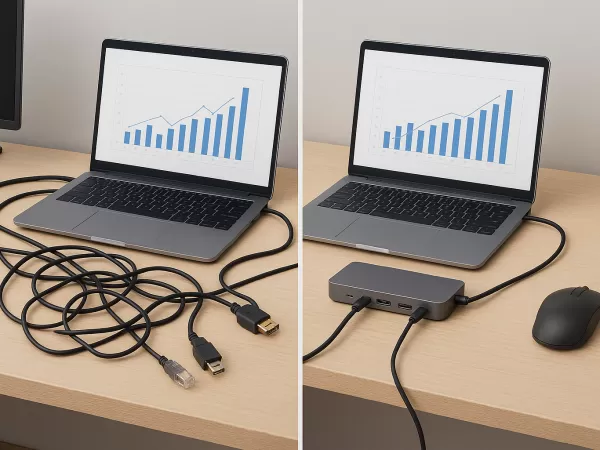
Cables, adapters, and scattered accessories can easily turn your workspace into a mess. If you often struggle with limited ports or tangled wires, a docking station or port replicator can help you regain order and boost productivity. Both solutions enhance your workflow, but they serve different needs. So—which one should you choose? Let’s break it down.
Docking Stations: A Powerful All-in-One Hub
A docking station is designed to offer a wide range of connectivity options, such as HDMI, DisplayPort, USB-A, USB-C, RJ-45 Ethernet, audio ports, and more. Many models even support laptop charging (PD), eliminating the need for a separate power adapter.
Imagine this scenario:
You arrive at your desk, connect your laptop to the docking station, and instantly your monitors, mouse, keyboard, printer, network connection, and storage devices are all ready to go—no cable swapping, no searching for adapters.
Port Replicators: A Compact, Travel-Friendly Companion
A port replicator is a simpler and more portable option. Instead of offering a full suite of ports, it mainly extends the types of connections your laptop already has—such as adding extra USB ports or providing a single display output.
If you prefer something lightweight that easily fits into your bag and supports only the essential functions, a port replicator may be the ideal choice.
How to Choose?
Your workflow determines the better fit. Here’s a straightforward comparison:
| Category | Docking Station | Port Replicator |
|---|---|---|
| Port Variety | Wide range of ports, including Ethernet and dedicated display outputs | Fewer ports; basic extensions only |
| Power Delivery | Commonly supports laptop charging (PD) | Rarely supports power delivery |
| Portability | Larger; best for fixed workstation setups | Smaller; ideal for mobile users |
| Cost | Higher due to advanced features | More budget-friendly |
Ask Yourself:
Need multiple types of I/O? → Choose a Docking Station
Need laptop charging support? → Docking Station
Work on the go often? → Port Replicator
Seeking a cost-effective solution? → Port Replicator
Why These Devices Boost Productivity
No matter which one you choose, both bring meaningful improvements to your daily workflow:
Faster setup: One plug connects all your peripherals
Better ergonomics: Easily use external monitors and keyboards for a healthier posture
Cleaner workspace: Simplified cable management keeps your desk tidy and organized
Conclusion
Whether you choose a feature-rich docking station or a compact port replicator, both tools help you create a cleaner, more efficient workspace. Evaluate your connectivity needs, mobility, and budget to determine the best fit. With the right solution, you can eliminate cable clutter and enjoy a smoother, more organized workflow.